
Importing packages from Package Library Problem

Hi,
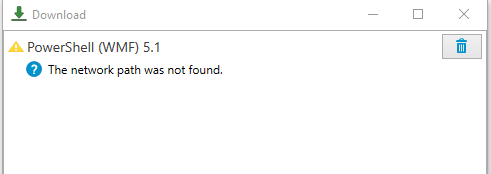
I've stumbled across a problem when trying to Import packages from a 'client' installation. As far as I can tell, it tries to download the package directly to my laptop (client) and then fails to find the installation directory (which is actually on the server).
Doing this from the Server PDQ client works fine.

CLR Version : 4.0.30319.42000
Comments :
Database : C:\ProgramData\Admin Arsenal\PDQ Deploy\Database.db
Date : 2017-10-05T11:21:44.7643634Z
Email : xxx
Entry : C:\Program Files (x86)\Admin Arsenal\PDQ Deploy\PDQDeployConsole.exe
Error : The network path was not found.
Error Type : System.IO.IOException
License Mode : Enterprise Mode
Manufacturer : Dell Inc. (Latitude E7240)
Memory : 8 GB (4 GB free)
Product : PDQ Deploy
Service Mode : Client
Subject : PDQ Deploy Diagnose Report
Version : 14.2.0.0
Windows : Microsoft Windows 10 Enterprise 2016 LTSB (10.0.14393.0)
The network path was not found.
System.IO.IOException
HResult: -2147024843
at System.IO.__Error.WinIOError(Int32 errorCode, String maybeFullPath)
at System.IO.Directory.InternalCreateDirectory(String fullPath, String path, Object dirSecurityObj, Boolean checkHost)
at System.IO.Directory.InternalCreateDirectoryHelper(String path, Boolean checkHost)
at AdminArsenal.PDQDeploy.ImporterProtocol.ExtractPdqPkg(String fileName)
at AdminArsenal.PDQDeploy.ImportPackageViewModel.PostDownload()
at AdminArsenal.Download.DownloadViewModel.Start()
Any ideas?
Comments
Are you using an account on your laptop that has access to your Repository?
Thanks Colby. Updated the Repository to use a UNC and it's working now!