
PDQ Deploy unresponsive on menu items, buttons, dropdowns

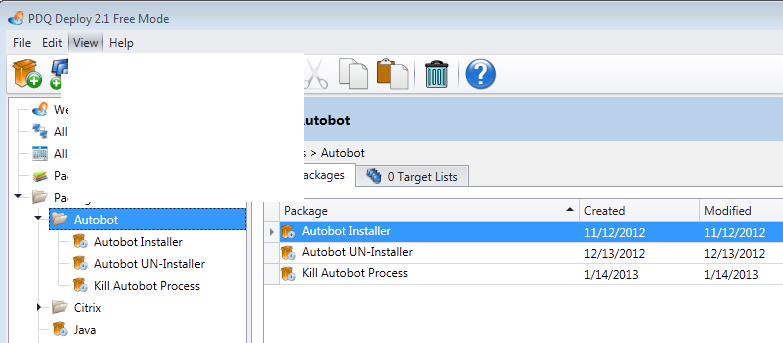
I am running PDQ Deploy Free on a Windows 7 64-bit machine 8GB RAM. Most often after I launch the program, drop down and popup windows will not show up and the application will hang for about 30 secs. For example, I start the program, click on a package (takes about 15 secs to show that in the right hand side), click the Deploy button and nothing ever shows up and everything with the app will freeze (the rest of the computer is fine). It eventually will time out and allow me to navigate around PDQ Deploy again, but it won't show any of the drop-downs like I would expect. Sometimes it will display a plain white area where one would expect the menu to be, but again, it never shows any options. Note: hitting keyboard shorcuts will work fine. Ctrl-D will bring up the Deploy Once box and then I can use it from there. I've tried rebooting, restarting processes and services (btw - shows as unresponsive in task manager when it freezes, but eventually will start running again), upgrading to the latest version, reinstalling, updating Java, etc, but have had no luck.
This is a great product and a very useful tool for our needs. Any ideas how to make it perform better?
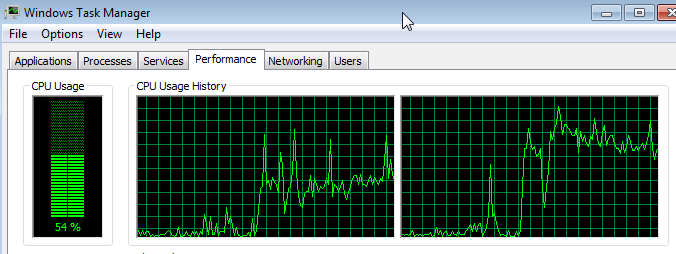
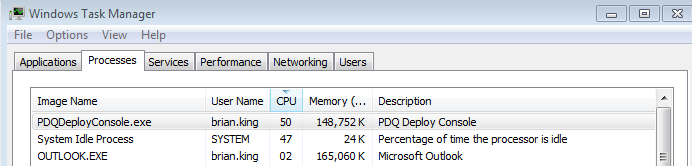
I have attached some pictures of Task Manager and PDQ Deploy while simply trying to drop down the "View" menu item.
New Picture.bmp
New Picture (1).bmp
New Picture (2).bmp
Comments
Brian,
My first thought would be to try a repair of .NET 4, we've had a few instances where a repair will correct strange errors such as this.
You could also try to uninstall and reinstall PDQ Deploy, as perhaps some of its libraries have gotten corrupted Your data will remain intact, but if you'd like to backup first the database is located in "%ProgramData%\Admin Arsenal\PDQ Deploy".