
How to go to the next step if the one executed failed? & Execute a package at next shutdown?

Hello,
I was wondering if it's possible to go to the next step if the one PDQ Deploy was working on failed?
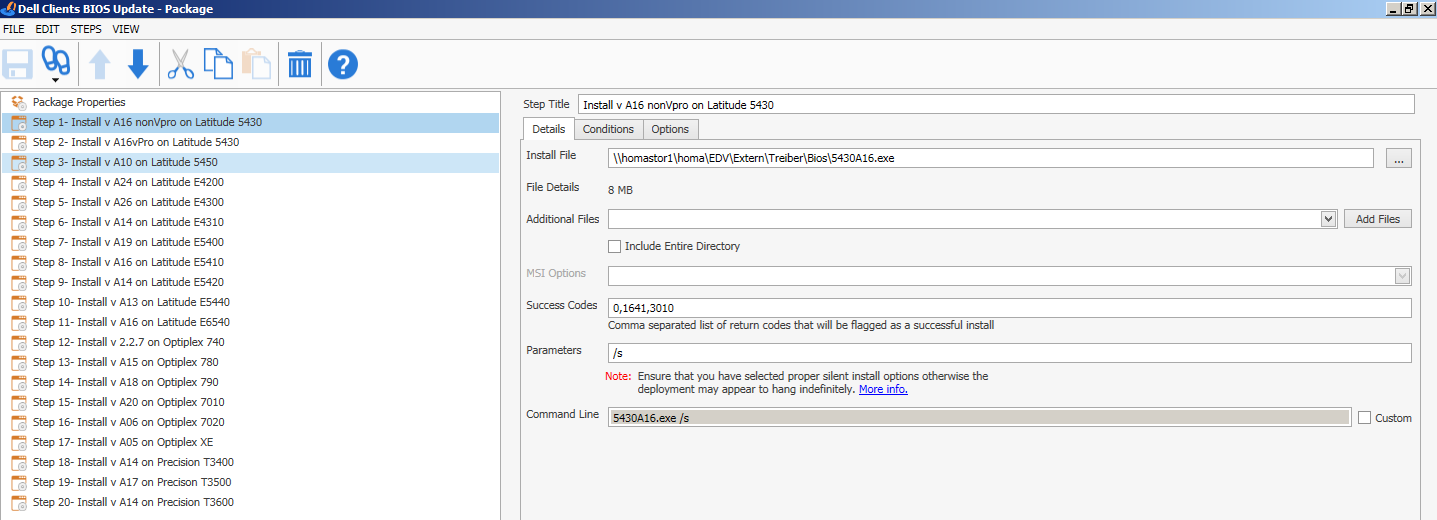
I made a package for Dell BIOS Updates in our company. We have ~200 workstations which need the newest BIOS-Version. They're like 20 different types of Dell-PCs, so I thought of making one package with all 20 BIOS-Versions.
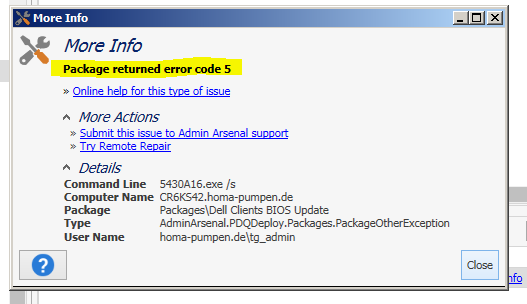
If a BIOS-Update-EXE, runned manually, doesn't match to the BIOS-Version needed, it can't be installed. So I thought it would work with all of them in one package, when the version don't matches it skips the step an goes on, til it found the one working. I tried this, and recieved an error after the 1. Step. (The screenshots dislplay the package, every step has only the silent parameter, and the error-message.)
Finally my questions:
Can I set a parameter (or anything else) which tells the package to go on if the step before failed? And can I tell the deploy to execute the EXE at the next shutdown?
Didn't find something helpful while googeling and reading here at the forum.
Thanks for helping!
~Tobias
screenshot_1_pdq.PNG
screenshot_2_pdq.PNG
Comments
Hi Tobias,
Make sure you check that there are no adverse issues from deploying every package to a machine but to do what you're asking simply go to the Options tab of each step in your package and change the Error mode to Continue. Also keep in mind that if this package runs and fails on every step that it will still show as successful overall and you'll have no way to know if the package worked or not without investigating or making a collection to identify targets.