
Collection with application version lower than not working

rudymens
I am trying to create some custom software collections to find out-dated software, but I have some issues with the "version lower than" comparison.
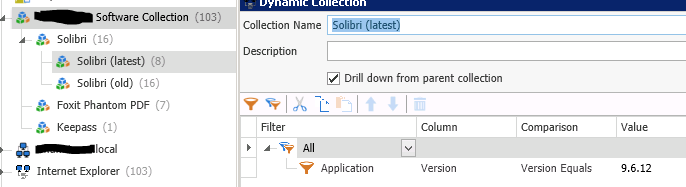
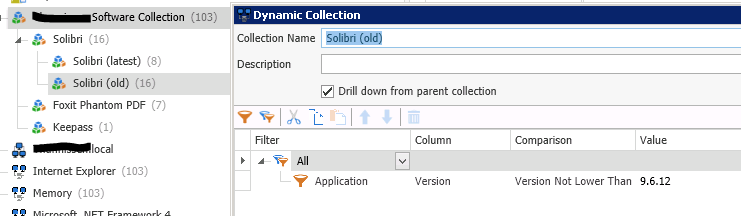
I create a "parent" collection that finds all applications where the name contains Solibri. Below that I created 2 dynamic collections with the Drill down function on. One setup with "Version Equals" which works fine and one with "Version lower than". The last one doesn't not seem to filter the parent collection correctly.
Any thoughts?
parent collection.PNG

Latest version.PNG
old version.PNG
0
Comments
Hmm screenshot "old version" is wrong, comparison was set to " Version NOT lower than" which doesn't not work off-course. But with the setting to "Version lower than" it's also not working
Each collection is independent. "Drill down" just means "include only the computers from the parent collection".
Yeah, and as you can see all the computers from the parent are listed, but 8 of them are up-to-date. So the list should only display the 8 others.
I'm sorry, I should have specified my point instead of just including a screenshot. Each collection needs to include the criteria of the parent collection as well as the more specific criteria you are looking for. In my screenshot I show the collection that I use for old versions of Adobe Flash IE. It has "Application Name Contains Adobe Flash Player", "Application Name Contains ActiveX", and "Application Version Version Lower Than 21.0.0.197".
Ah ok, sorry I missed your screenshot the first time. But I will give it a try tomorrow, thnxs!
Colby nailed it.
Here is an explanation of how Drill Down works and some appropriate times to use it.
Thanks Shane, I will take a look at it.