
Custom timeouts for individual steps.

Another user submitted a similar request a few weeks ago and a nested package may have resolved their issue. I'd like to request this again as I'm having issues installing 2 ancient applications, for which this feature would be a massive help.
Issue:
Application installs with /silent parameter. Once the install is completed, a new application is started and brings up a dialog box requesting the user select a preferred language. This dialog box cannot be controlled with silent install parameters, and will cause the deployment to hang indefinitely
If the process for this application is killed, it automatically selects English as the default language and the application is good to go.
Fix:
When I push the application with PDQ to a machine, after about 10 seconds I can see the process "config.exe" running in Task Manager. If I kill the process, PDQ shows a successful deployment a few seconds later. 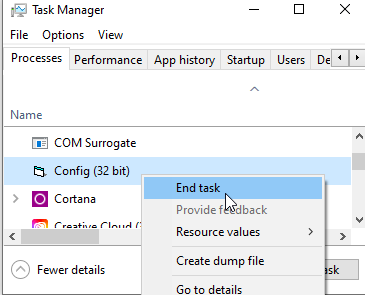
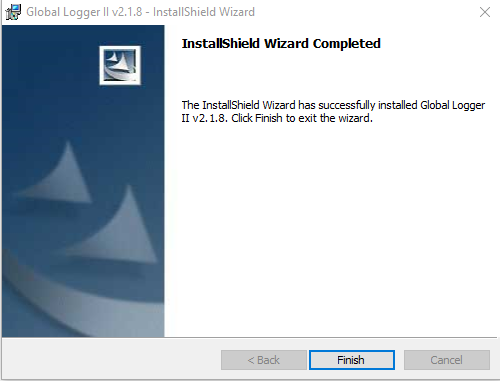
I'd like to be able to set a custom timeout for each step so that the installation can timeout after 1 minute, fail, and then skip to the next step, which I would use to kill the running process, and the installation will be successful.
I have tried a nested package, but from my attempts, the nested package will not inherit the 1 minute timeout setting into the new package. If the process is not killed, it prevents other applications from being installed. Because this process is separate from the installation wizard, when the deployment fails, it will leave this process hanging and further deployments are stalled as well until the process is killed.
I understand this is not a feature everyone would use and it's more of a janky workaround, but this is the second time having step timeouts would have assisted with installs. We use quite a few legacy applications that haven't been updated in 10+ years, so manufacturer support to fix glitches or get help with installs is very difficult. Without PDQ, a manual install is still less than 30 seconds and they're applications I install extremely infrequently, but it would be a nice Quality Of Life addition.
Comments
We will take this request into consideration.
In the meantime, a potential workaround would be to create a folder, split your steps into multiple packages, and arrange them in the correct order in the folder (start their name with a number if you want to protect against Auto Sort messing with the order). To deploy, select the folder and hit Deploy Once. All of the packages in the folder will be added to Deploy Once in the order they appear in the folder. All packages will run, regardless of whether the previous package succeeded or failed.
Also, where does that application store the language choice? If you manually create that setting before the installation, does it prevent that popup from appearing?