
Filters not working as expected in Inventory Dynamic collections

Nathan Smith
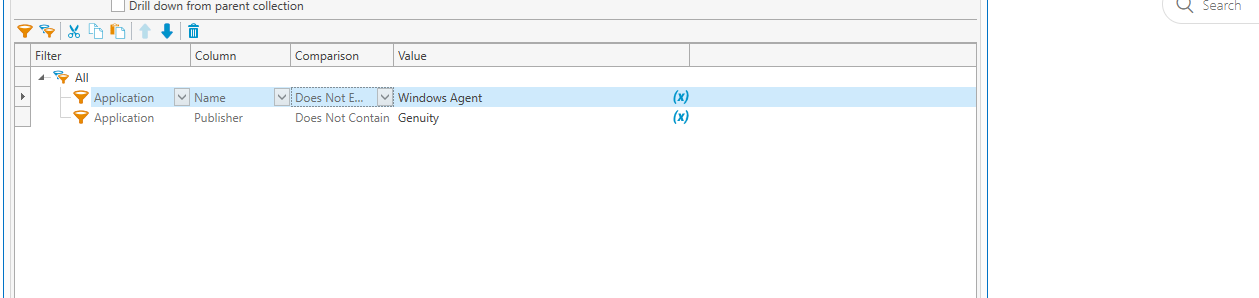
We've been trying to make dynamic lists in Inventory to show us what is and what is not installed on a certain machine. A setup similar to many variations below keeps reporting computers with the agent installed on this specific application when we are trying to filter to not installed. Does anyone have any suggestions for me to help filter applications better?
1
Comments
Here is what your collection filters are saying: Give me all computers where not all of its applications have the name "Windows Agent" with the publisher "Genuity". This collection will therefore return every computer except ones where that is the only installed application.
Try this, but swap the application name and publisher name for whatever you need:
Wow, thank you sir! We overlooked this and it is total common sense to us now. I appreciate the quick response,