
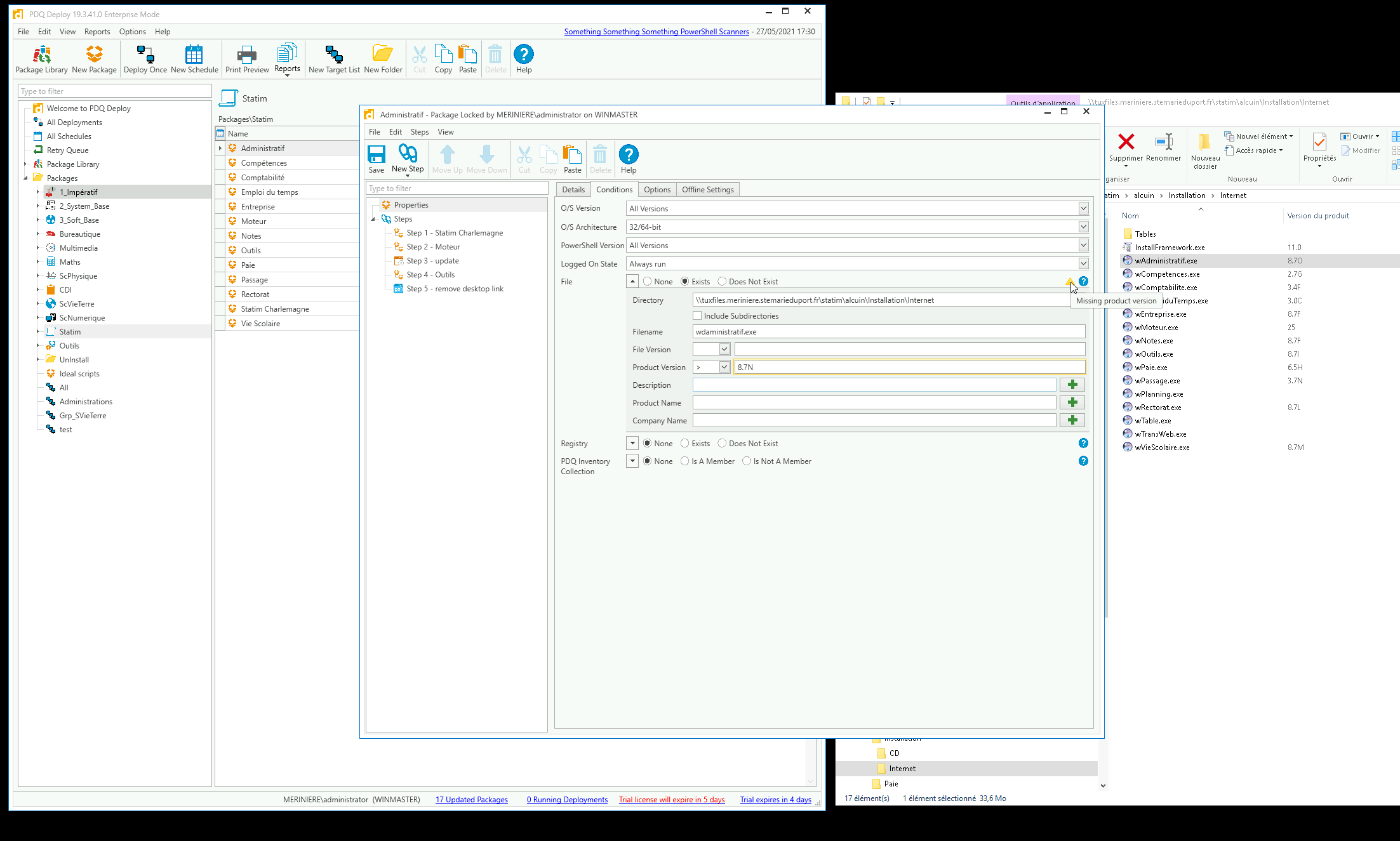
letter in product version

ntedesco
Hello,
It's not possible to get product version with letter ?
1
Comments
That is correct. That field only accepts values that conform to the .NET System.Version type, which does not accept letters. Also, I recommend using a local path for the Directory field, otherwise every target will always pass the Condition since you currently have it pointed at your file server.
I tried using a Collection, but it didn't work. It accepted the letter, but doesn't compare the version correctly.
Something you could try is using a PowerShell Scanner to convert the letter into a number. This example converts 8.7G into 8.7.7:
Thank you for the quick reply. Can you trigger a "step" from the result of another "step" or simply call a "step" from a powershell script. cordially.I created this script with your help, it's work fine, but at the moment I still don't know how to update my packages automatically much like those in the library.
$excluded = @("*assistance*", "Desinstallation*", "Donnees*", "WD*")
get-childitem "C:\PROGRAM FILES (x86)\alcuin\*.exe" -exclude $excluded | foreach-object {
$softname = $_.Name
$softVer = [System.Diagnostics.FileVersionInfo]::GetVersionInfo($_).FileVersion
$nversion = $_.VersionInfo.ProductVersion
$VersionLetter = [Char]$nversion[-1]
$VersionWithoutLetter = $nversion.TrimEnd($VersionLetter)
$LetterToNumber = [Int32]$VersionLetter - 64
$NUMVersion = $VersionWithoutLetter+"-"+$LetterToNumber
#"{0}`t{1}`t{2}" -f $_.Name, [System.Diagnostics.FileVersionInfo]::GetVersionInfo($_).FileVersion, $NUMVersion
[PSCustomObject]@{
'Nom' = $softname
'version' = $softVer
'numversion' = $NUMVersion
}
}
This webcast may help with that: Automating Packages That Aren't in the Package Library