
Server Disconnected
Purpose
You receive the following error:
PDQ Deploy: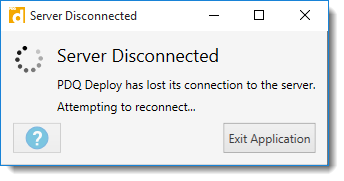
PDQ Inventory: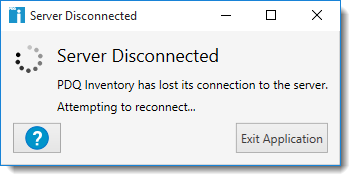
Resolution
This error means the PDQ Deploy or PDQ Inventory console cannot reach its configured Central Server, or, in Local Mode, that its Background Service isn't logging on correctly. If the console is using Central Server mode (Client or Server), it retries the connection automatically. If the console is in Local Mode, check the Background Service's logon account in services.msc. The two scenarios are covered separately below.
If Using Central Server Mode (Client or Server)
The PDQ Deploy or PDQ Inventory client attempts to reconnect to the server automatically until it succeeds or the application is closed. Causes for the disconnect include:
- The machine with the PDQ Deploy or PDQ Inventory console in Server Mode is turned off.
- The background service on the PDQ Deploy or PDQ Inventory console in Server Mode is stopped.
- There is a network failure or other network issue between the PDQ client and PDQ server.
- The appropriate Windows Firewall rules were not created to allow traffic on the PDQ server port.
- Other firewall issues are preventing communication between the PDQ client and PDQ server.
To troubleshoot:
- Ensure the PDQ console running in Server Mode is operating normally and is accessible to the PDQ client machine (for example, test with ping).
- Ensure the background service on the PDQ server is running.
- Check the firewall for the appropriate exclusions.
- Turn off any third-party firewall software and test connectivity.
If Using Local Mode
Ensure the Background Service account is correctly configured and isn't failing to log on. Open services.msc and check the Log On As parameter for the PDQ service. For instructions on correcting background service logon issues, see The Service Did Not Start Due to a Logon Failure.
